Designing around a paper system that isn't going away.
Green Ridge is an independent guide to the 100 first-come campsites of Green Ridge State Forest, Maryland. I designed and built it, end to end.
The place
Where the site you pick decides the whole trip.
49,000
acres of ridge and hollow above the Potomac
100
first-come primitive sites. No reservations.
8–42
minutes of forest road from headquarters
0 bars
across much of the forest
Site 2 is a hollow by a creek, an easy drive, within earshot of I-68. Site 30 is a quiet ridge-top up a 16% grade. Both are listed as "primitive campsites".
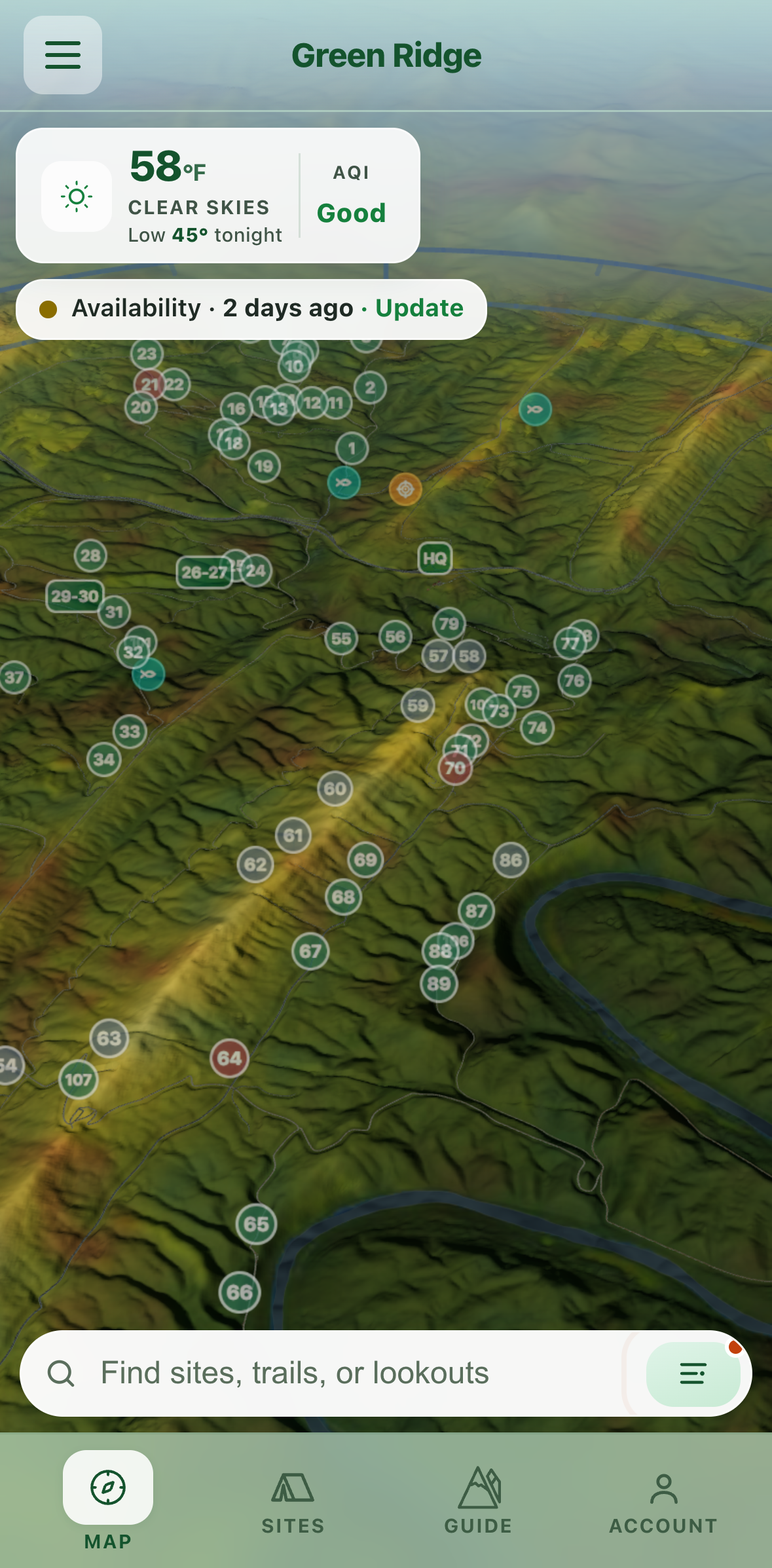
Sound, measured30 of the 99 sites sit inside the reach of the range, I-68 or the railway. The app's 3D map, sound layer on.
The problem I experienced
I couldn't answer a simple question: where should I camp?
The forest's pages and printed map: site numbers, not places.
Map pins and forum threads: scattered, years old, often wrong.
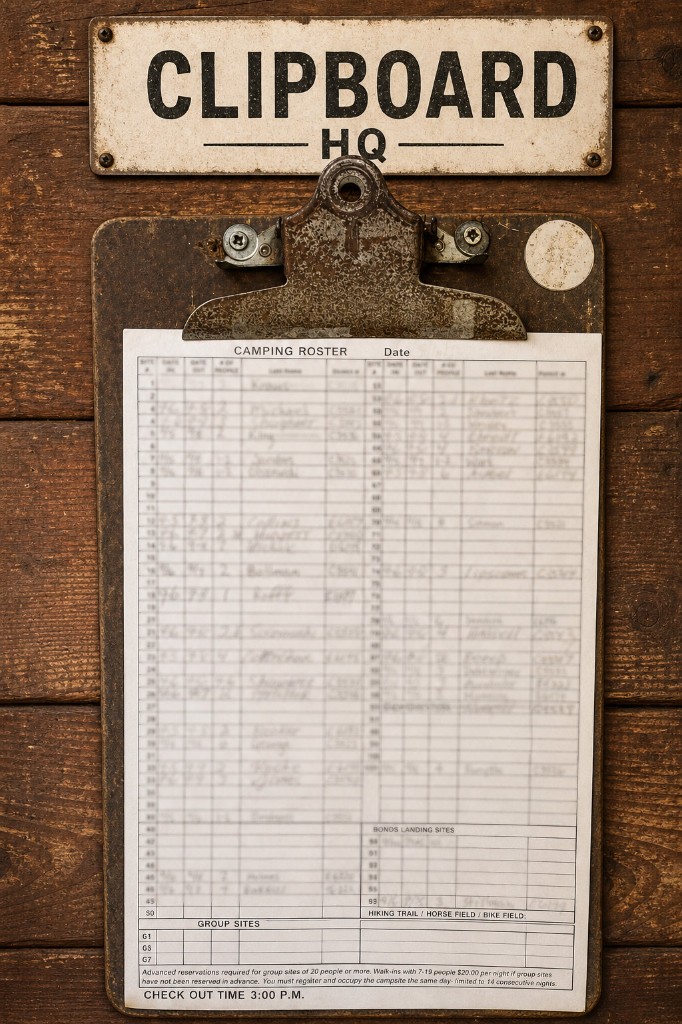
The clipboard at headquarters: complete, but only once you have driven there.
None described a campsite as a night you would spend there. So the clipboard had to come to the camper.
At the kiosk0/14 rows · 0%
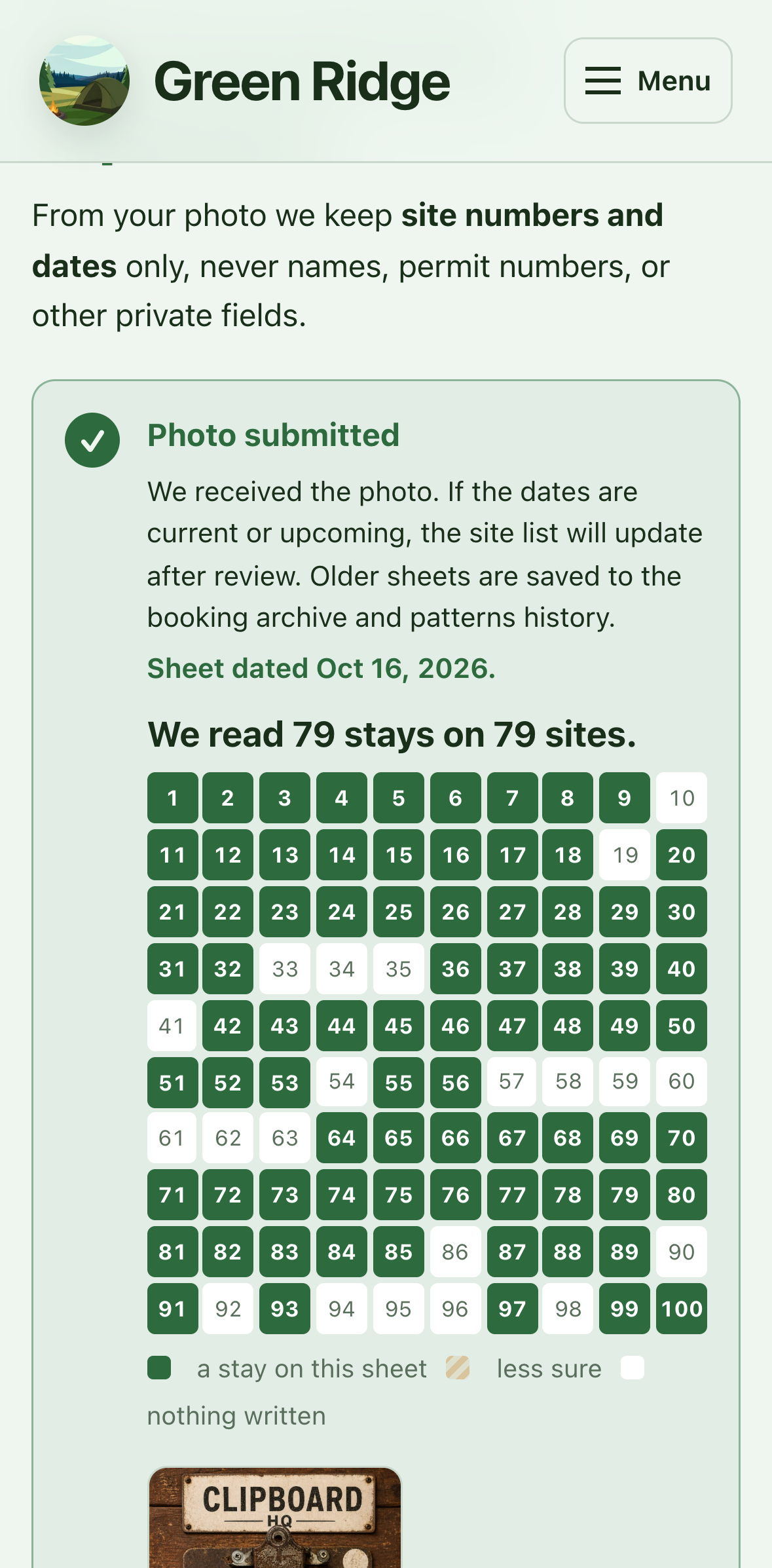
Reading a photo of the sign-up sheet
Three things are kept from each line: the site number, the date in and the date out. Names and permit numbers are skipped.
From greenridge.app. The sheet is a drawing, since real sheets carry campers' surnames; the steps match the real reader.
The obvious product is the wrong product
The tempting answer:
Build reservations.
No inventory
Green Ridge doesn't control the sites, and the forest runs no booking system.
Paper is the record
The clipboard is the official record. Anything digital sits beside it.
Information goes stale
A photo is true when taken. Someone can arrive an hour later and appear nowhere.
The real problem: help someone decide better without pretending to know more than we do.
What campers actually need to decide
"Somewhere quiet, near water, that my car can reach, with some sun. And I don't want to drive thirty minutes down a rough road to find it taken."
Experience
quiet, secluded, creek, ridge, sun or shade, open sky
Access
road rating, drive time, steepest grade, walk from the car
Conditions
weather, water, closures, hunting seasons
Occupancy
what the clipboard last showed, and when
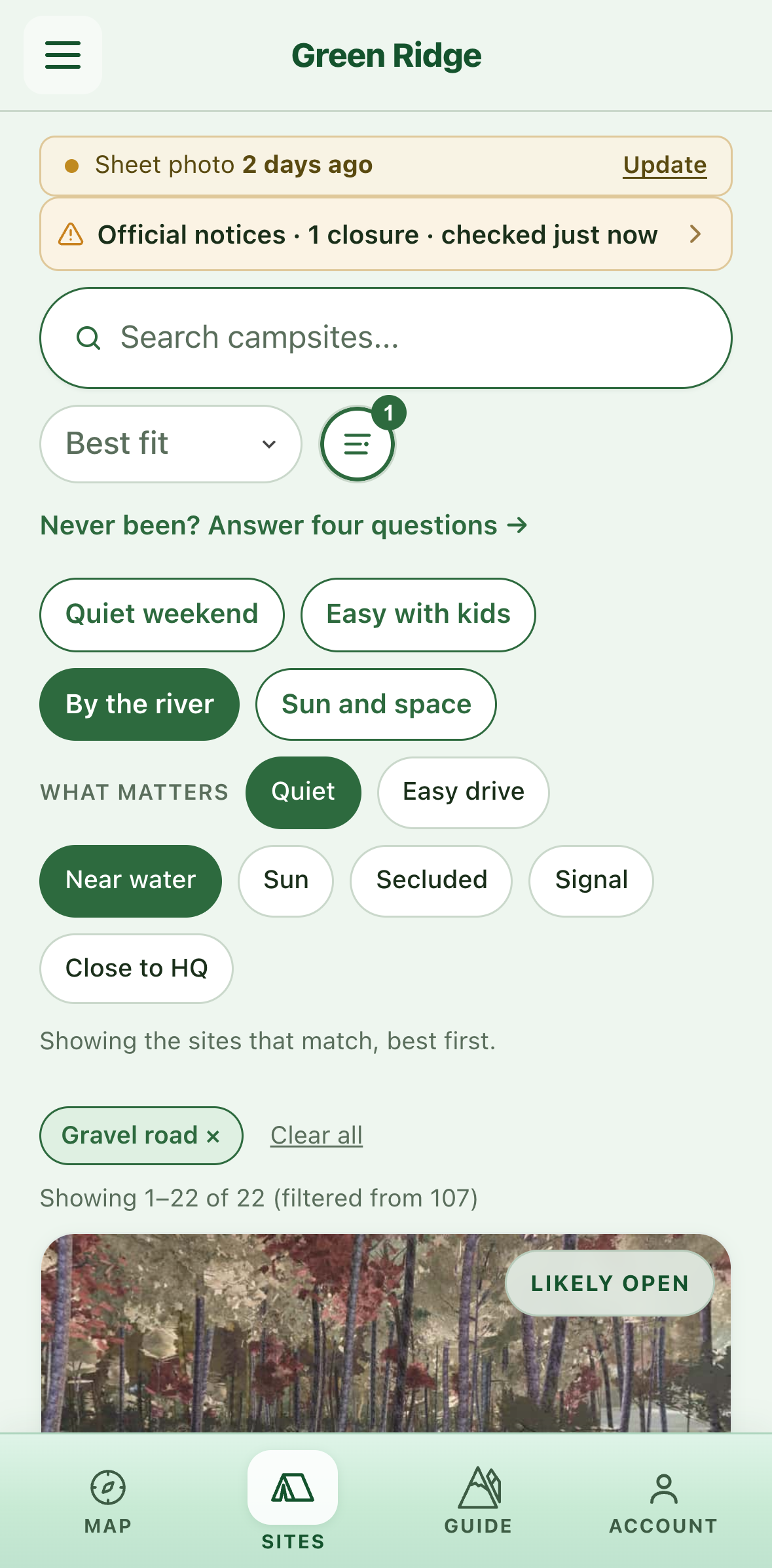
"What matters": quiet, near water, gravel road only
User journey · Alex, Thursday evening to Saturday morning
Six stages, each with a pain the design answers.
Stage 1
Wondering
Is this even open to the public? How does it actually work?
Pain
Nothing assembles the forest into one planning surface: a guide PDF, map pins, forum posts.
Response
One surface, with non-affiliation with Maryland DNR stated plainly on every one.
Stage 2
Planning, Thursday evening
Can I get there in an Outback without finding out after dark that I could not?
Pain
A site number says nothing about the night, and road grade is invisible on a map.
Response
Site character as a first-class signal: photos, traits, sun, lay of the land, drive access.
Stage 3
Shortlisting and sharing
If the first is taken I do not want to start the whole decision over.
Pain
Availability changes before arrival, and nothing can be reserved.
Response
Shortlists and shares, never bookings. A chosen site is a reminder, not proof.
Stage 4
Driving out, Friday
If it is full I have wasted the day.
Pain
Cell service is least reliable exactly when navigation matters most.
Response
Offline-first. Everything he planned survives the dead zone; writes queue until reconnect.
Stage 5
At headquarters
Is this the real process? Am I doing this right?
Pain
First-timers don't understand the clipboard until they are standing at it.
Response
Signed-out upload. Copy states exactly what is read, and what is never stored.
Stage 6
On site, and after
Was that a person? What was the road to 62 like, for next time?
Pain
Unknown night sounds frighten; a white screen destroys dark adaptation.
Response
Startle note before confidence. Red on black from dusk to dawn. Notes persist.
Task flows · six personas, six jobs
Not everyone should begin at a campsite map.
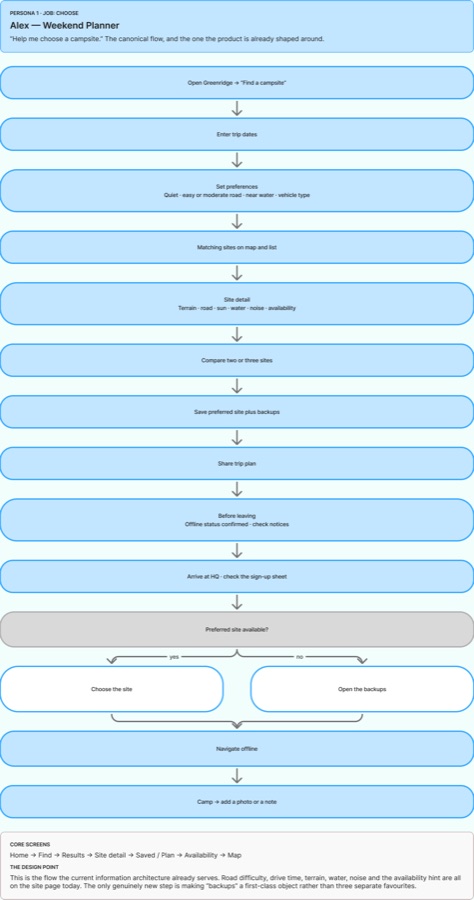
Alex · Choose
Opens it to choose a site
Yes. This is the product as it stands.
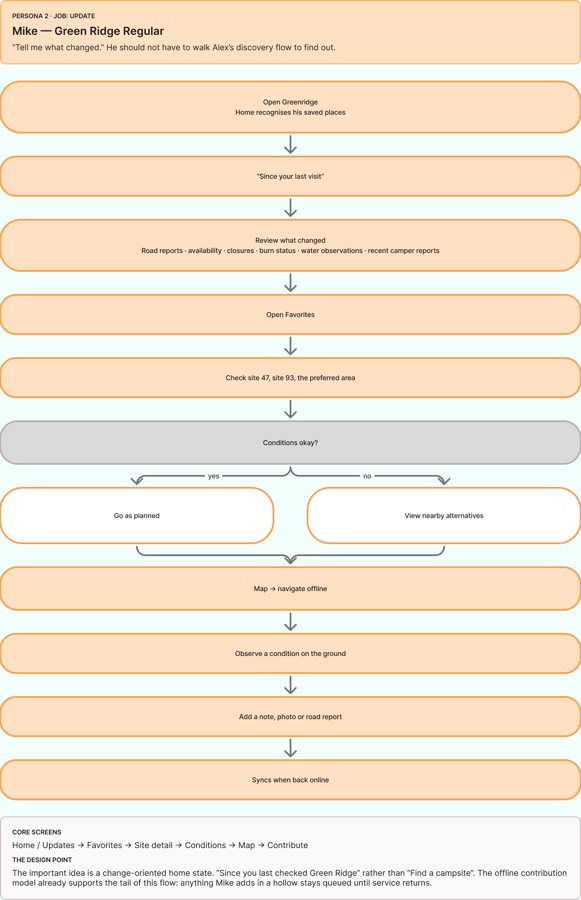
Mike · Update
Opens it to check what changed
Partly. Favorites exist; a change-oriented home does not.
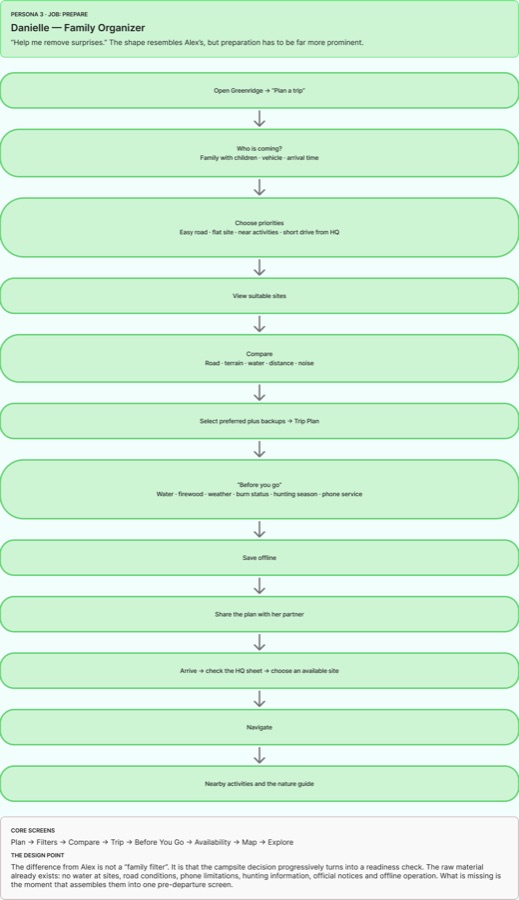
Danielle · Prepare
Opens it to prepare and de-risk
The facts exist, scattered. The assembling screen does not.
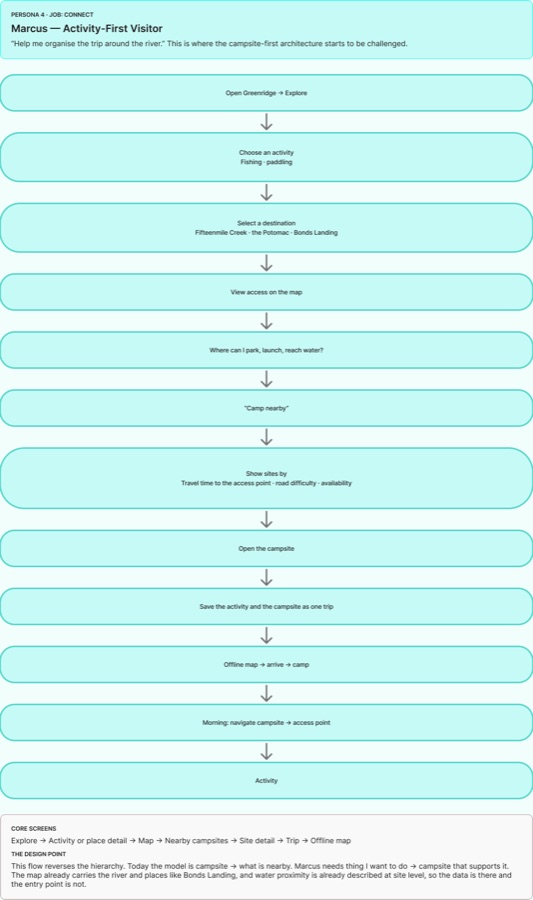
Marcus · Connect
Opens it to do a specific thing
No. The hierarchy runs the other way.
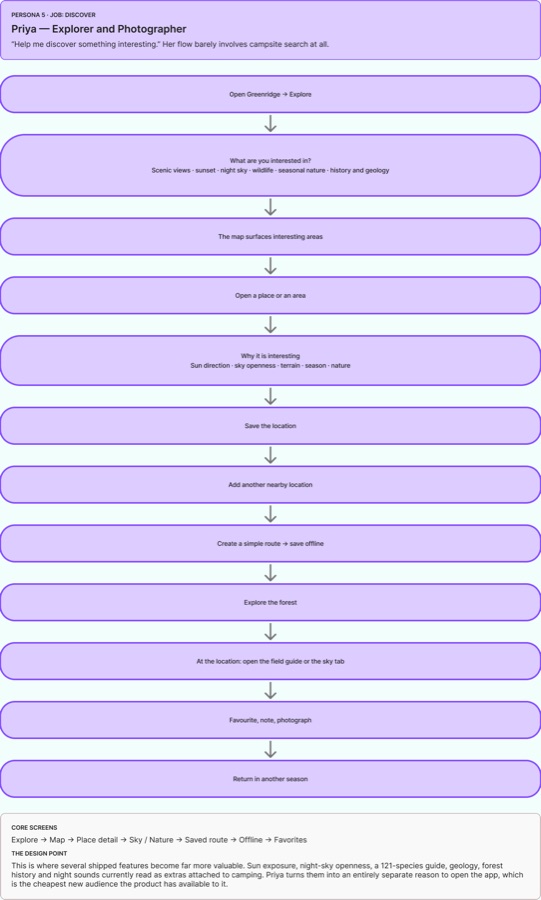
Priya · Discover
Opens it to discover something
The content exists as extras on camping, not as a way in.
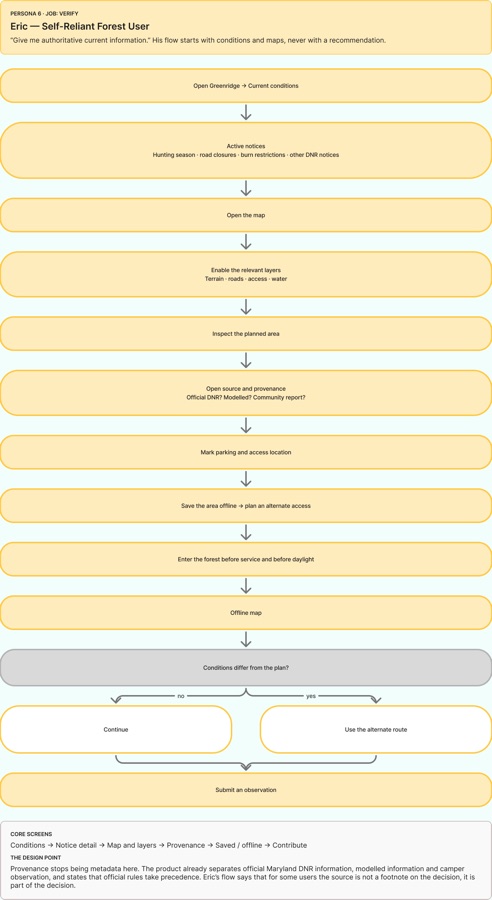
Eric · Verify
Opens it to verify conditions
Partly. Notices and sources ship; a conditions-first entry does not.
Underneath all six, one loop
Discover
→
Understand
→
Plan
→
Save offline
→
Visit
→
Observe
→
Contribute
→
Better information ↺
Interaction design · the claim fades with the evidence
Known. Then aging. Then silent.
Day of the photo
23
Taken
Solid, full colour. The sheet showed someone here today.
One to two days on
23
Likely taken
Dashed and dimmer. The same sheet, hedged.
After that
23
Unknown
Hollow. Green Ridge stops making the claim at all.
Night visionbright soliddashed, dimhollowRed on black keeps dark-adapted eyes, so every state is encoded in shape, not hue.
Turning a clipboard into usable data
A trust pipeline, with a person at the end.
01A camper photographs the sheet
→
02Hidden photo data stripped
→
03Location read as evidence
→
04Names and permits skipped
→
05Site and date rows read
→
06Doubtful sheets go to a person
49/86
real uploads where plain OCR read nothing. It cannot cope with a phone photo of handwriting.
F1 84
vision reader against a hand-labelled sheet, which also showed human review had passed every error.
The model never has the final word.
Uncertain lines, far-off photos and sheets that look old are held for a person.
Interaction design · the wait
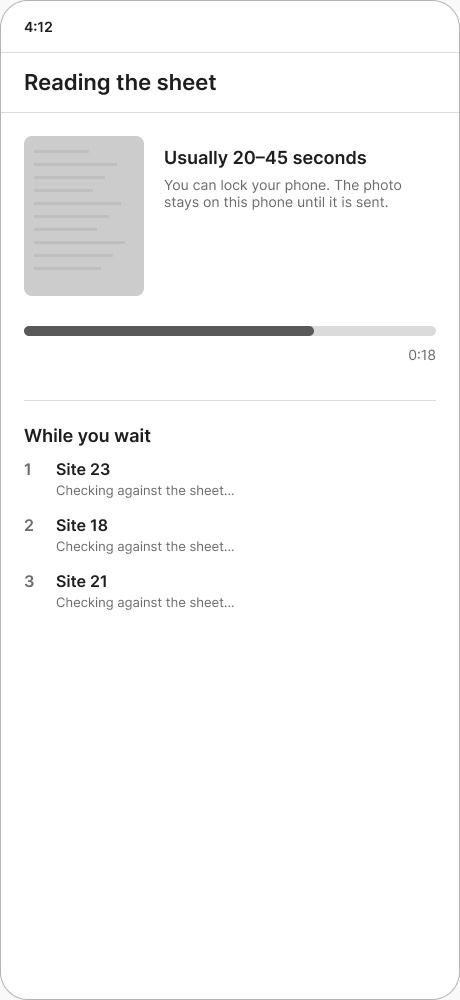
Your own photo, being read.
Sending · then reading the sheetstops at 92%
The server answers once, at the end, so nothing can know how far it has got. The bar is an expectation, not progress: it eases toward 92% and stops, and a test enforces that it never claims 100. The wait is stated up front, the clock is hidden from screen readers, and past a minute the words change, not the bar.
Then the result arrives as the board itself, filling in site by site. Striped means less sure.
Making 100 sites understandable
The least you need to rule out the wrong sites.
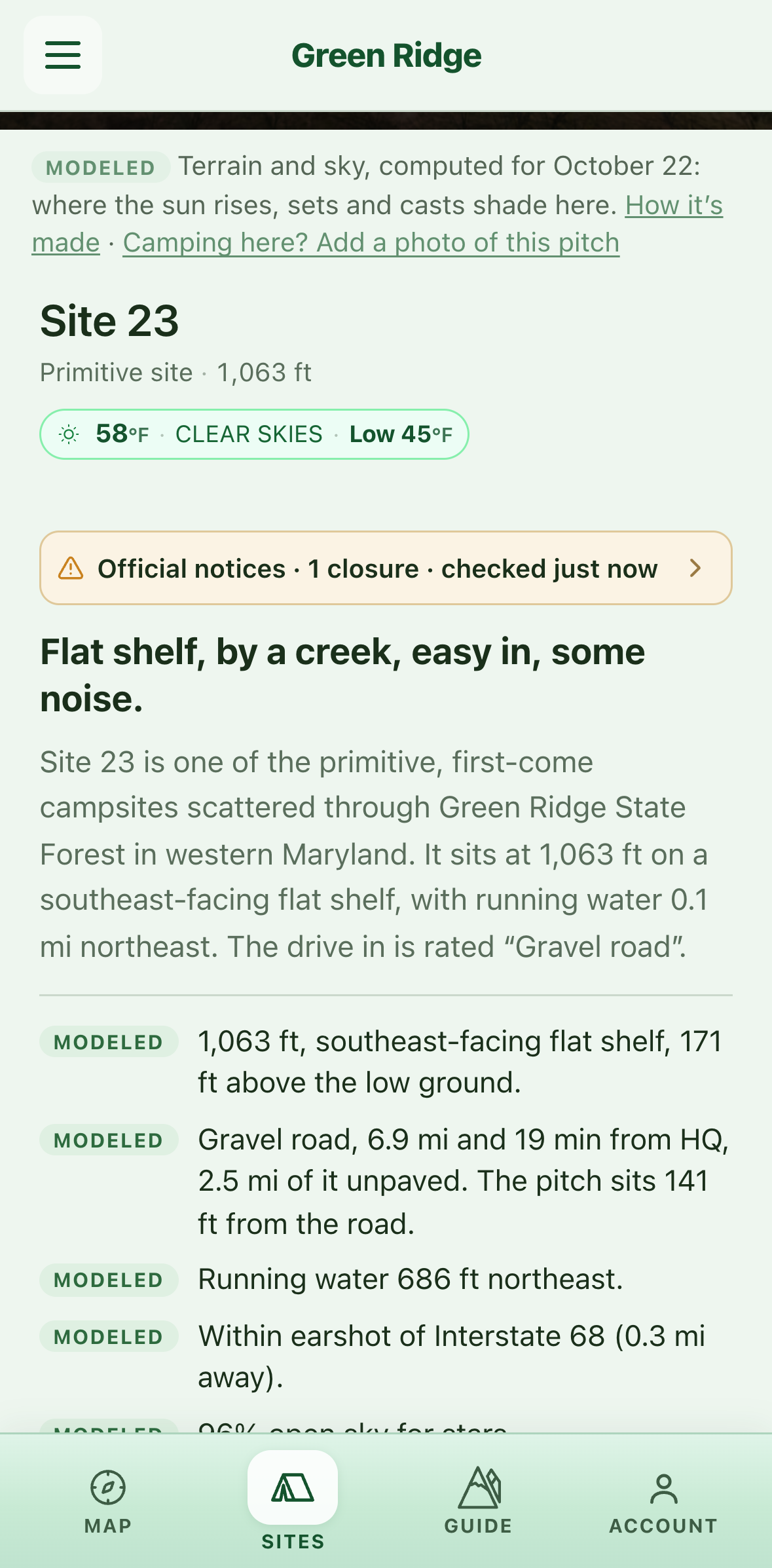
Every site gets the same short description, built from the same data:
Ridge-top, rough in, quiet.
Hollow, by a creek, easy in, some noise.
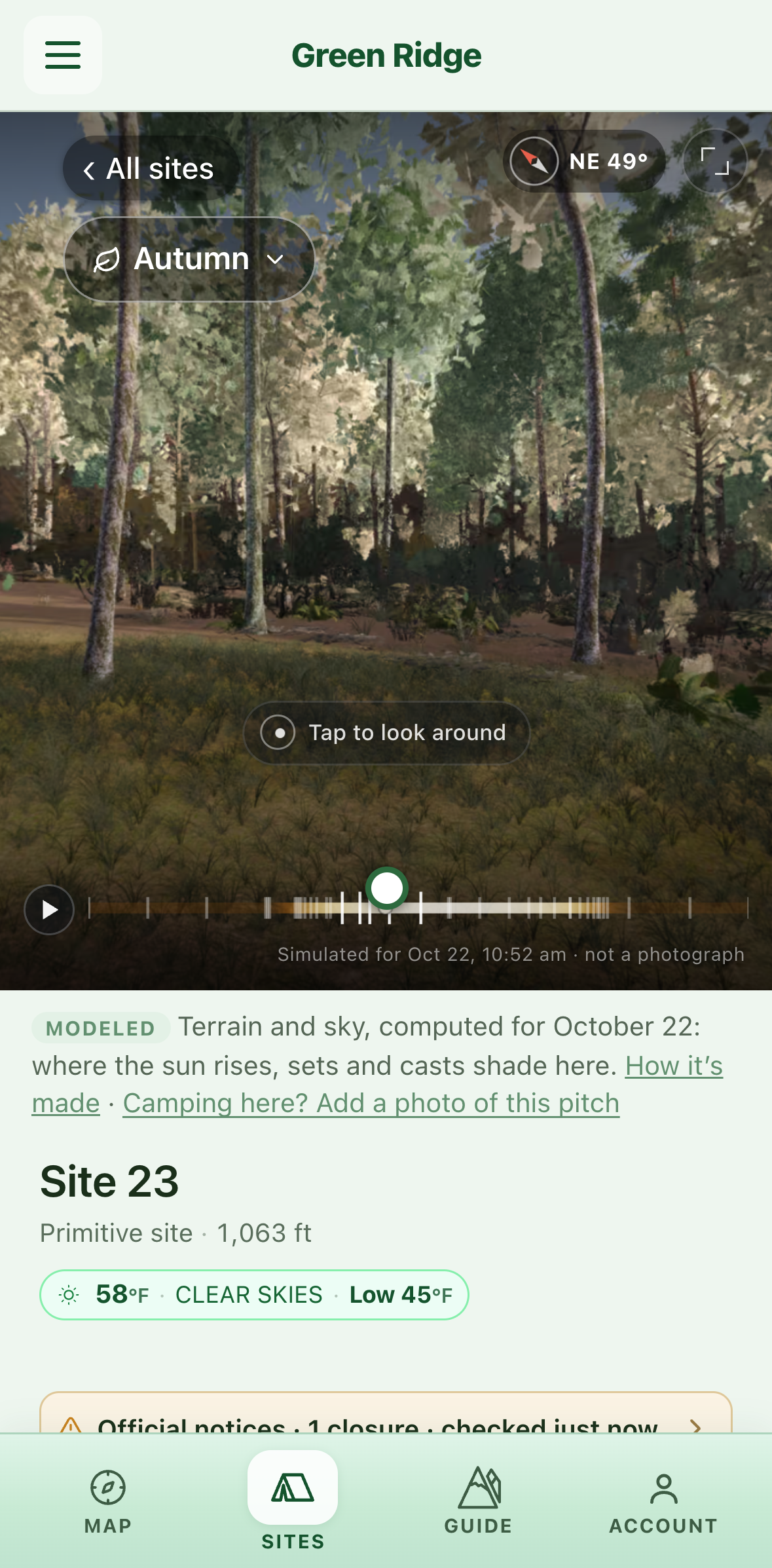
Map, then the site page, then a summary where every line names its source: modeled, official or community.
The map
The site page
In short, sourced
Interaction design · the 360
A whole day at the pitch, in your hand.
Recorded in the live app · site 23 · 22 October
Plays a day
It opens about ten minutes before sunrise and plays the day at the pitch; drag to look around, scrub to any hour.
Sharp at rest
It plays at 2048 px; the moment you stop, it glides to the nearest sharp 4096 frame.
Seasons keep your place
Changing season keeps the time, the view and play state, and opens in the season you will camp in.
Interaction design · gestures, motion and light
Small decisions, held to one feel.
Map card
Swipe to browse
Swipe up to open a site, left or right for the next site by number. The whole card opens the site. Its 360 strip pans one turn every 90 seconds, poster first.
Motion
Three durations
90, 180 and 320 ms, one spring curve and a press scale, as tokens. Every animation honours reduced motion. Nothing ever plays a sound by itself.
Light
The interface follows the sun
Day, sunrise, sunset and night phases restyle the whole app from the sun's real position. The marketing hero is a scrubbable day; its header ink is chosen from the sky's brightness.
Haptics
By intent, not by place
Light, selection and success haptics through one small API, so a tap means the same thing everywhere.
At the board
Flag a wrong line
Anyone at headquarters can mark a read line as wrong; the sheet is held for a person. You don't have to check them all.
Navigation
Back means back
Back links return where you came from, one Escape closes one layer, and scroll position is kept per screen.
Designing for the actual forest
It has to work where the signal doesn't.
At homeChoose sites, check the newest sheet, save backups
→
On the driveSignal drops. Map, all 100 sites, terrain and the guide stay on the phone
→
At headquartersPhotograph the sheet. With no signal, the photo waits safely
→
Back in rangeWaiting photos and notes send on their own
Installable web app and native iOS and Android shells · data cached on the device · location in the foreground only, by policy.
Privacy is part of the interaction
The sheet carries other campers' names. The product never needs them.
What the sheet holds
Site number
Date in
Date out
Surname
Permit number
→
What Green Ridge keeps
Site number
Date in
Date out
Surname
Permit number
I didn't want privacy to depend on remembering to delete something later, so the record has no place to hold it.
What I tested, and what changed
Three decisions the evidence reversed.
I thought
Reading the sheet in small crops would be more accurate.
Testing showed
98% vs 82%
of rows found: whole page against crops.
So
Whole page by default; every change scored against hand-labelled sheets.
I thought
Photos taken away from headquarters should be refused.
Testing showed
Phones lie
about location, so honest campers were turned away.
So
Location became evidence: a far-off photo is read, then held for a person.
I thought
A sheet with no printed date should be discarded.
Testing showed
Daily board
The sheet is replaced every day, so undated sheets left the app with no date.
So
The photo dates the sheet, and a sheet whose stays have all ended is held as old.
Designing and building were one loop
I didn't stop at a prototype.
Hypothesis → working interface → real data → phone in the forest → find what fails → change the product.
Offline
on the forest roads
Camera capture
at the real clipboard
Map performance
on an old iPad
Real terrain
14 pins moved to where photos put them
GPS and time
as phones really record them
Device limits
memory, data cost, signal
Marketing site and app · what goes where
Two surfaces, one rule for what goes where.
greenridge.app
The public site: what a page can know
Static HTML a search engine or an AI assistant can read: every campsite's ground, drive, water and noise. 137 pages, generated from the app's own data.
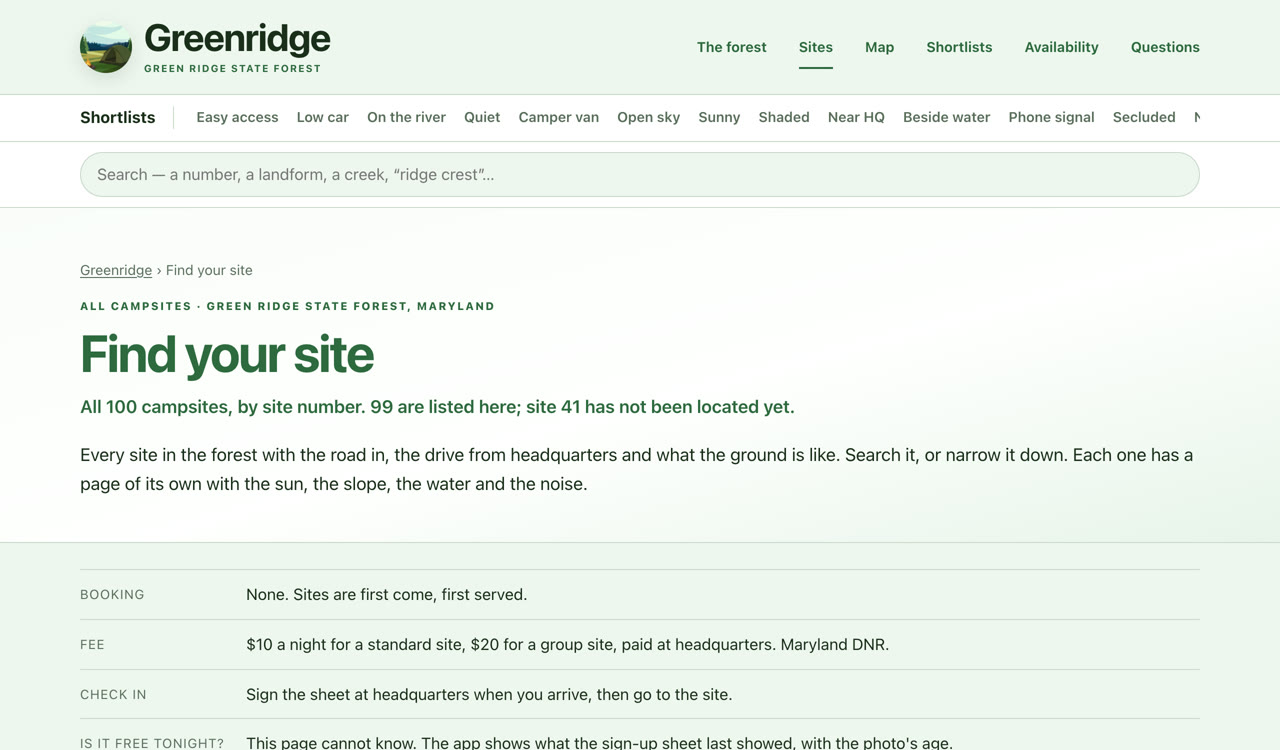
"Is it free tonight? This page cannot know. The app shows what the sign-up sheet last showed, with the photo's age."
greenridge.app/app
The app: deciding, on the day
Availability, the sheet, the map, favourites and notes. Offline in the forest. Kept out of search, because a crawler sees a client-rendered app as an empty page.
The rule
Static first, filter second: every site is in the HTML, and filters only hide rows.
Never on the public site
Per-site availability, ads, raw sign-up sheets.
Shared
One dataset, one set of tokens (102 rules through 13 variables), and 311 deep links into /app/sites/N.
Live: a shortlist, Campsite 4, then the app on site 4
Marketing site and app · the decisions
The hand-off is a site number, not the word "app".
LandOn a shortlist or a campsite page, almost never the home page
→
OrientA header that says there are 100, all written up
→
NarrowA shortlist argues one test; /sites/ combines them all
→
Open that siteA deep link opens the app on the site being read
→
Keep itNo account until a site has been chosen
The problem
The home page had five jobs, and the site index sat in section nine of thirteen.
Evidence
111 vs 94
requests from ClaudeBot and Googlebot in six days. Discovery worked; the structure under it did not.
So
A /sites/ hub with all 99 in the HTML, a six-item header with no app button, and a home page with one job: 2,005 words to 1,643.
The problem
The index, built to be where choosing happens, offered only a generic link to the app.
Evidence
311
deep links into /app/sites/N now. Shortlists hand off pre-filtered; nature pages with the species already queried.
So
The app opens on the thing the visitor was reading. Every row of /sites/ now carries its own.
The problem
14 of 129 pages carried no analytics tag, including /sites/ itself, so half the path could not be counted.
Evidence
315 · 18
search impressions and clicks in Search Console's first ten days.
So
Tagged on the public pages only. No ad network, and no analytics in the app.
The product today · two minutes
Friday afternoon. A quiet site near water, reachable without four-wheel drive.
Find: quiet, near water, gravel road
Compare: the short description, the drive, the sun
Check: what the sheet last showed, and how old that is
Save two backups, then go, with everything on the phone
Recorded in the live app
A sheet, read
What's next · a flow at headquarters · lo-fi, proposed
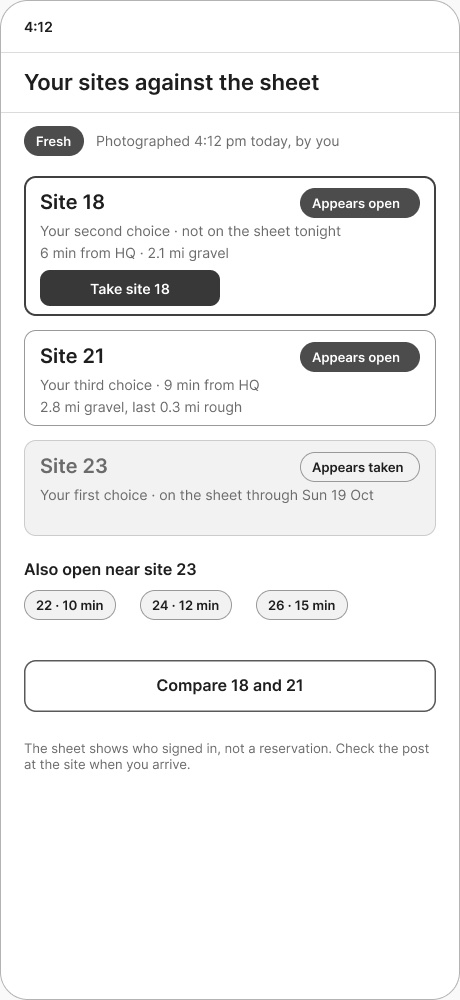
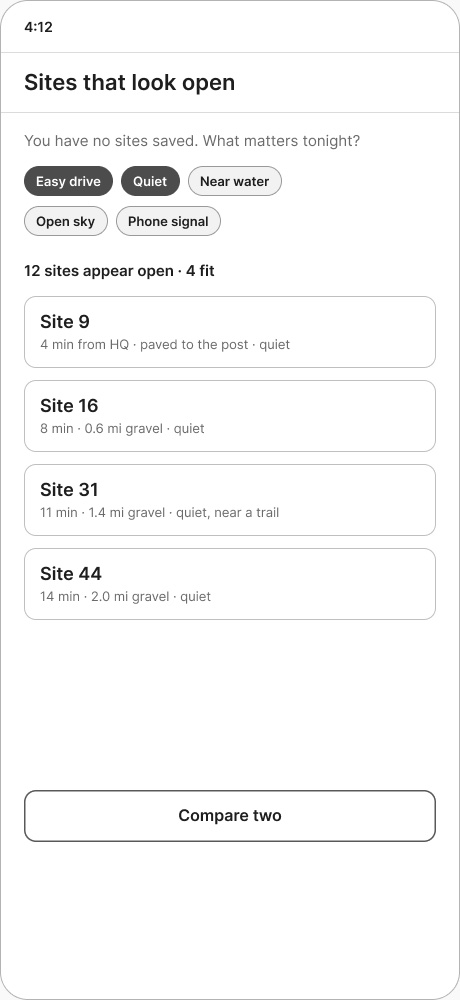
Of the sites I wanted, which look open?
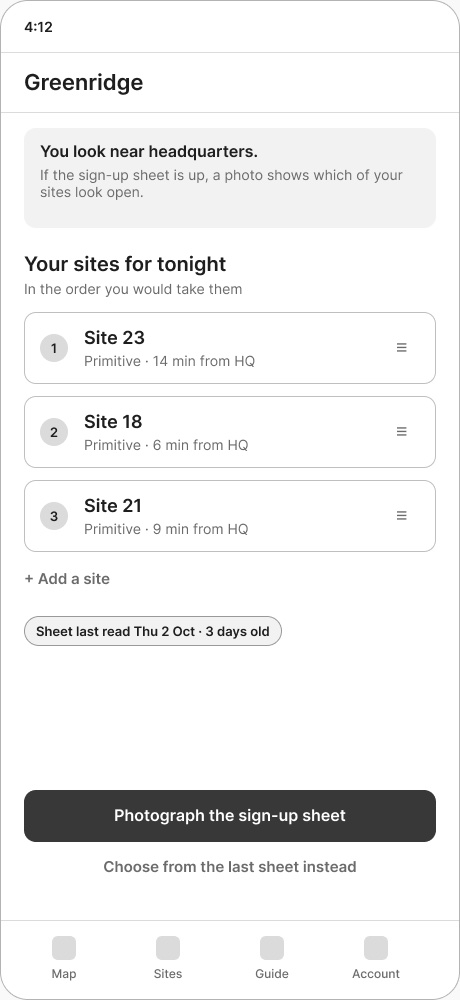
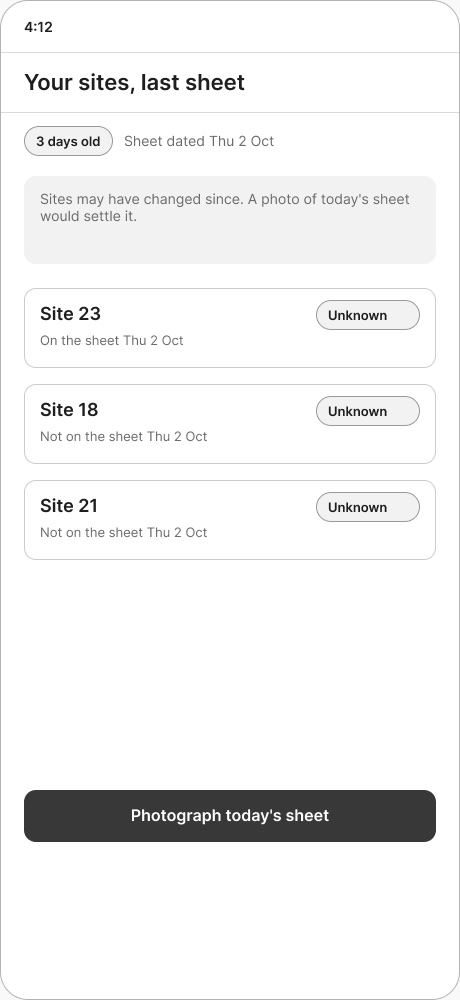
Today the app reads the sheet for everyone, but never answers the camper's own question. Seven screens, about two minutes at the clipboard. Example data throughout.
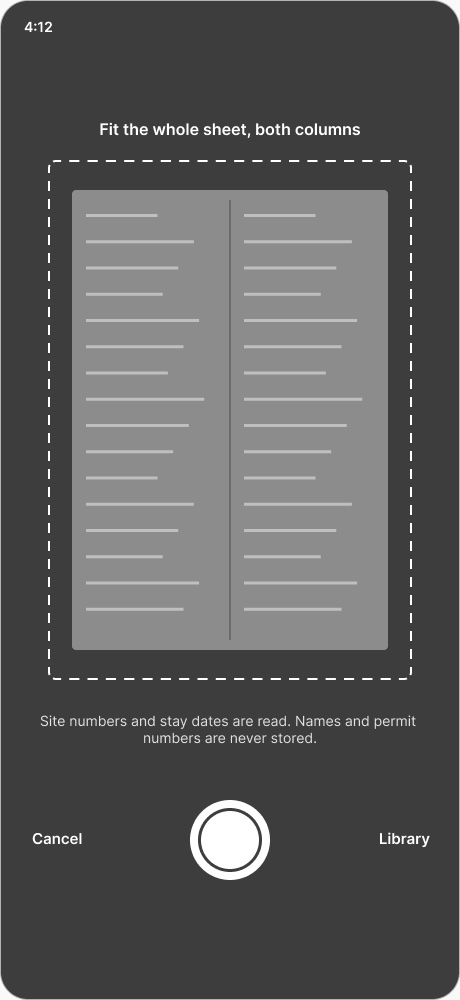
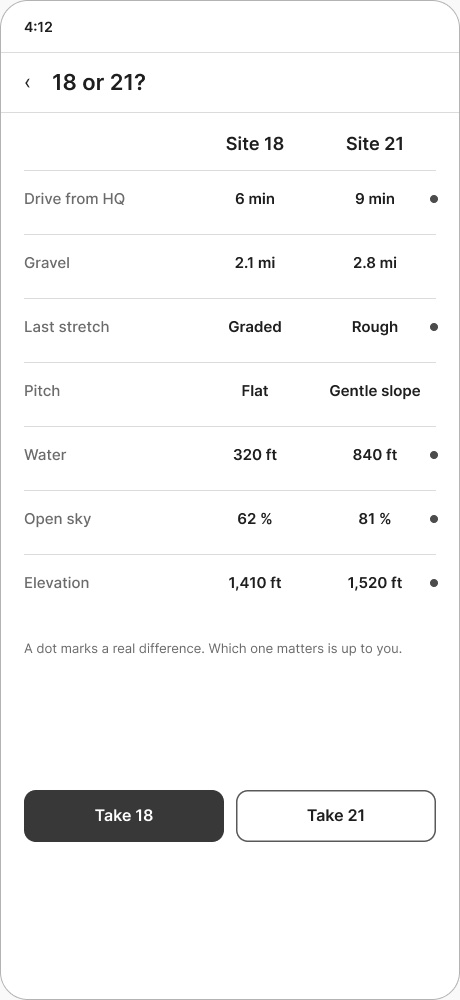
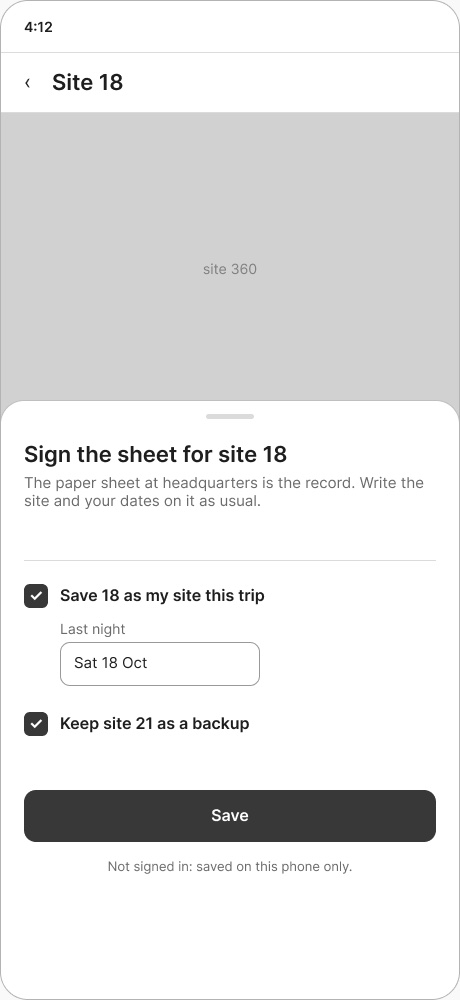
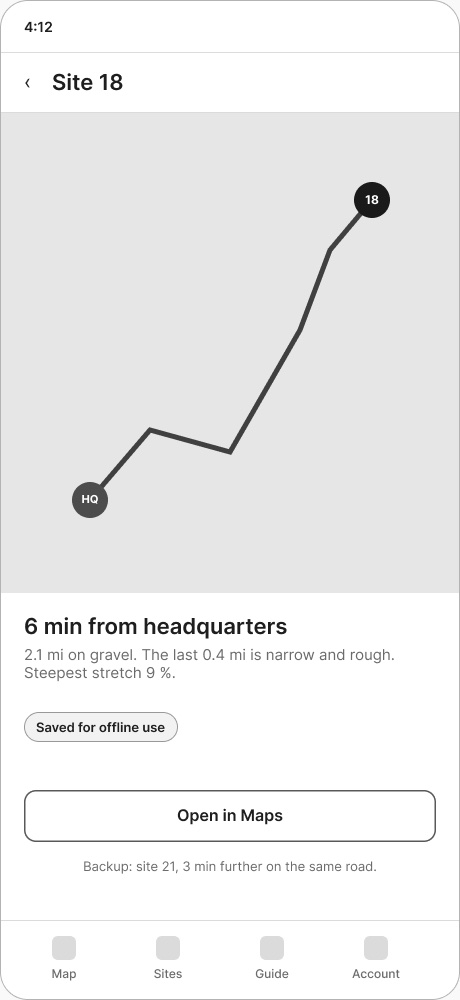
1 · At HQYour list, in order2 · PhotographPrivacy line at capture3 · ReadingThe list stays in view4 · Against the sheetTaken drops, never vanishes5 · Compare twoDots, no winner6 · Take site 18Paper stays the record7 · The driveMap saved before signal goes
What Green Ridge says about how I design
Start with the environment, not the interface.
The paper process isn't legacy debris. It is part of the system.
Make uncertainty visible.
Don't turn incomplete evidence into false confidence.
Use technology to remove work.
A fifteen-second photo improves the trip for the next camper.
Build far enough to find the truth.
Some questions only appear on a phone, in the place it's used.
Architecture · data sources · the 360 pipeline · design system · shipped scope · the headquarters flow
Appendix A
Architecture
Ordinary where it can be. New where it had to be.
App
React and TypeScript, built once, shipped as a web app and inside iOS and Android shells, with over-the-air updates and rollback.
Server
One small Node API with SQLite and JSON files on a single host; 122 endpoints; nightly off-site backups.
Static guide site
136 pages generated from the app's own data, readable by search engines and AI assistants.
Sheet reader
GPT-4o vision, with Claude reading again when the first pass finds too few rows; open-sourced as paperparse.
3D and 360
A Godot model of the forest renders the 360s on a second Mac; a custom WebGL viewer streams them by connection.
Operations
A watchdog checks the live site every five minutes; disk, certificates and backups are checked too.
Appendix B
Data sources
Every number has a named source.
USGS 3DEP elevation: landform, slope, aspect, horizon, approach grade, the 3D map
OpenStreetMap roads and water: drive time, unpaved distance, nearest water
NOAA solar equations against each site's measured skyline: first and last sun, hours of sun
Maryland DNR: campsite locations, rules, fees, closures; the forest's word wins
Lidar and US Forest Service inventory: tree height and species mix for the 360s
Campers: sheet photos, traits, notes and photos, each labelled as community
Appendix C
The 360 pipeline
495 rendered views, labelled as a model.
A day at each pitch in five seasons, rendered from the forest model: terrain, sun, shade and sky, not how a site looks. Photoreal re-renders are replacing the first set, thirty sites so far, shipped in batches: stage, upload, verify on the server, switch the data, deploy, then delete the old set. A photo from a site that shows the model is wrong queues a re-render.
Spring · 25 AprSummer · 21 JunAutumn · 22 OctWinter · 11 FebSnow · 11 Feb
Site 23 at 2 pm, five seasons, recorded in the live app.
Appendix D
Design system
Two front doors, one set of tokens.
Tokens and phases
Colour, space, type and motion, with day, sunrise, sunset and night phases plus night vision, from one place.
Storybook and a design kit
89 story files covering every component and state, plus a hand-built public gallery kept in step with the app.
Writing register
Six rules for public copy: plain sentences, headings that name the section, no claims the data can't back, every dataset dated.
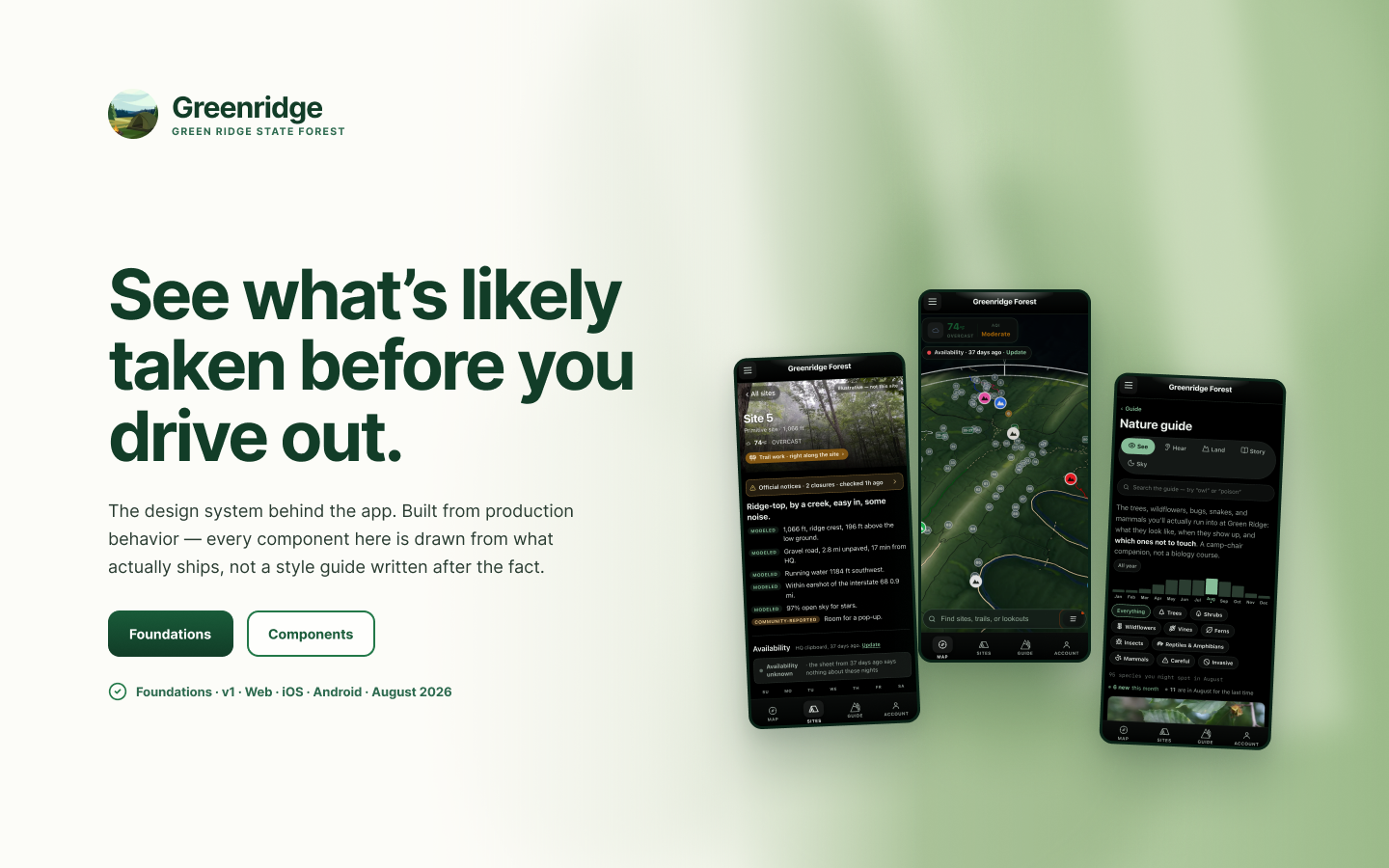
The Figma file: drawn from what ships, not a style guide written after the fact.
Appendix F
The headquarters flow, when it doesn't go to plan
Four states the main path has to survive.
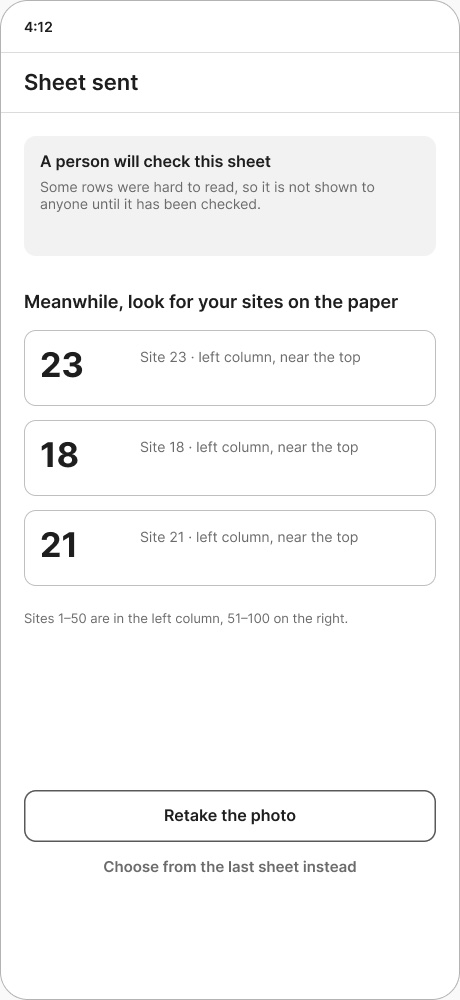
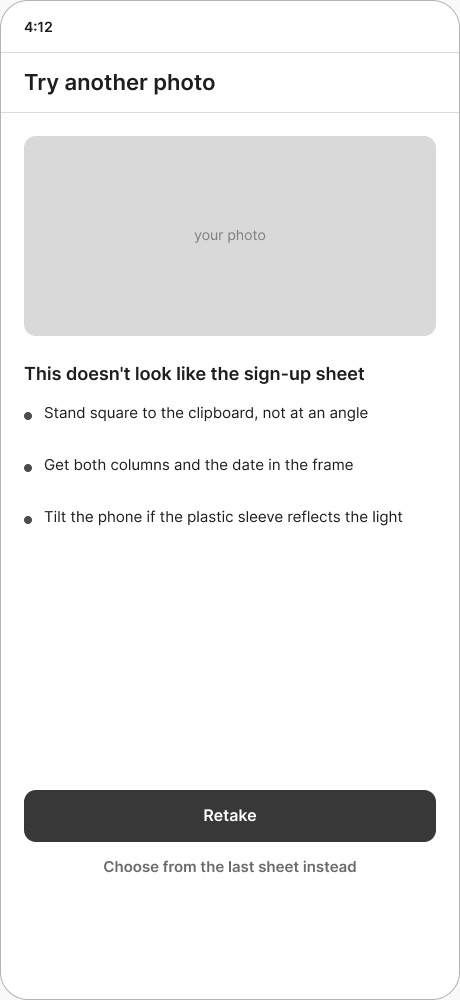
A · Held for a personNot published, but it says which rows to find on the paperB · Not readableA retake with specific advice, not an apologyC · No list yetThe finder runs against the fresh sheetD · No new photoThe last sheet, its age stated
Decided 2026-10-05
"Tonight" is the top three favourites, in order. No new trip object.
"Appears open" means no row on the sheet overlaps any of your nights.
A held sheet is shown only to its uploader, worded "seems to show… not yet checked".
Drive time from HQ is a range, labelled estimated.
Measured by
Uploads, four weeks before and after, plus 6–10 sessions with real campers.
 greenridge.app