Read transcript
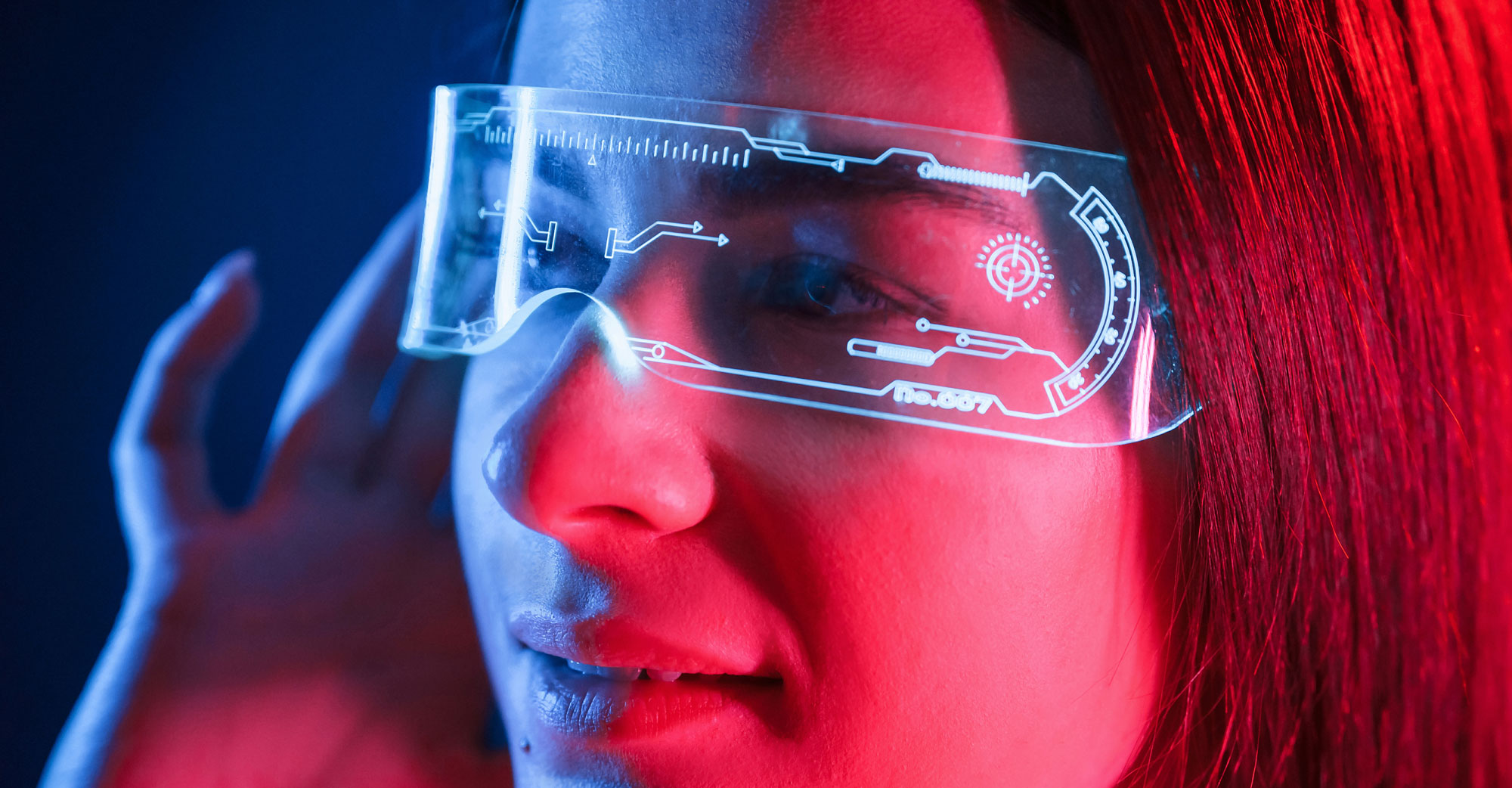
Welcome to the Deep Dive. Today, we are strapping on the next generation of computing, AI-powered smart glasses. Yeah, it feels like we're really moving past those, you know, clunky early versions. Definitely. The current landscape is, well, it's pretty sophisticated. You've got these high-def displays, cameras, sensors, and powerful AI assistants all packed in. Right. And they promise to transform, well, everything. How we communicate, accessibility, even how healthcare gets delivered. It's a huge technological leap, no doubt. I mean, multimodal computer vision, real-time translation, it's all happening in these tiny devices. It is. The tech is dazzling, absolutely. But here's the mission today, and maybe the critical question for you, the learner. What makes these things genuinely usable? Exactly. Like, what specific features are driving people to actually, you know, wear them day-to-day? And where do they just fall short? Why do people end up taking them off and shoving them in a drawer? Yeah, it's easy to get lost in the specs, right? 46-degree field of view, 12-megapixel cameras. Sounds great. But what feature actually gives you so much value that you won't leave home without them? And to really dig into that, we kind of have to start with a foundational critique. It's going to be the lens for this whole deep dive, really. Don Norman's paradox of wearable technologies. Oh, Don Norman. Always bringing us back to usability. He really hammered this point home. The critical design challenge, he said, is making sure the device actually augments us, makes us better. Instead of just becoming another thing stealing our attention. Exactly. Another distraction. That's the paradox. So the more powerful and futuristic the tech gets, the more likely it is to just, like, bombard you with notifications, complex gestures, visual noise. And it ends up ruining the experience of actually living in the real world. Right. So if the glasses need constant fiddling, or they interrupt you with too much stuff when you're just trying to cross the street. They fail. They violate that core principle. So we need to judge these things, not just on potential, but on whether they enhance what you're trying to do without being annoying attention hogs. Do they help your thinking or just get in the way? OK, good framework. Yeah. Let's start where most people encounter these things first. The consumer market. This seems like the trickiest area. It really is, because success here is all about normalization, low friction. People just won't wear them if they don't look and feel like, well, normal glasses. So convenience, communication, entertainment. That's the focus. But what are people actually using the A.I. for right now? And that takes us straight to meta, because they seem to have found a specific kind of high value, little interaction that people are OK with. You too. Hands-free social capture and just talking to it. Ambient voice interaction. They've definitely hit on something. The Ray-Ban Meta smart glasses, the second gen. Huge success rate. Yeah. You mentioned a 210 percent year of year growth. Yeah. Massive growth in the A.I. glasses market. Over a million sold in 2024. It proves if you nail the look, people might actually try them. But the interesting usability point you're saying is what they left out at first. Exactly. They look like classic Ray-Bans, right? Packed with cameras, dual 12 MP and good audio with open ear speakers and mics. But critically, no visual head up display. No HUD. They focus purely on taking photos and videos without using your hands and voice commands. That simplicity. That was the genius move. Minimal distraction. So dodging the complex, maybe annoying A.R. overlay was actually the key to getting people on board. Prioritize capture over like full spatial computing. Absolutely. The device used its basic senses camera mic for quick info retrieval. You know, hey, meta, what am I looking at? And the A.I. would describe it or translate text. Right. Using multimodal computer vision on the camera feed, but only when you asked. It gave you that hands-free usefulness without throwing a complicated visual interface in your face. Kept the design minimal, focused on simple tasks. That makes sense. Keep the cognitive load low. But Meta's already pushing beyond that, aren't they? There's the new Ray-Ban display model, the third gen. Yeah, they're finally adding a visual bit. It's a transparent micro display just in the right eye. But small, right? Like 600 by 600 pixels. Deliberately small, yeah. It's not for watching movies. It's designed for minimal info, like simple text alerts, arrows for walking directions, maybe short visual replies from the A.I. So they're easing people into A.R., making sure the visual stuff is minimal enough not to be overwhelming. Seems like it. Trying to avoid that cognitive overload Norman warned about. OK, and what about input? You mentioned Meta is also looking at this neural wristband thing. EMG signals. Yeah. Sounds very sci-fi. It does. It's trying to solve that problem of subtle gesture control. The sensors on your wrist use electromyography, EMG, to pick up tiny electrical signals from your forearm muscles. So you can click or scroll just by thinking about moving your finger almost. Sort of, yeah. By making really slight internal finger movements long before anyone else would notice, if they can make that reliable and crucially discoverable. The two things Norman says gesture controls often lack. Exactly. If they know that, it could be huge for interacting discreetly in public. Right. Reliability and discretion. OK, so Meta's approach. Lifestyle capture, subtle utility. Let's pivot to Snap Spectacles. They seem like the total opposite, right? All about high-end A.R. Totally different focus. Snap is all about the creators and pushing what A.R. can look like. They've got dual 3D waveguide displays, a wider 46 degree field of view, designed specifically for their A.R. effects, their lenses. And they pack serious tech, like the Snap Spatial Engine for six degrees of freedom tracking, 6toF. Yeah, 6toF is key. It makes the virtual stuff feel properly anchored in your real world, tracks your head and hands. So the A.R. feels more stable, more real? Theoretically, yes. And they boast impressive clarity, like 37 pixels per degree. That's getting close to bigger, bulkier headsets. Interaction is voice and a touchpad, plus this scan feature. Where the A.I. recognizes stuff and suggests A.R. lenses, like looking at the Eiffel Tower and getting a history overlay. Exactly. That kind of context-aware A.R. It's powerful, but, and this is the big usability caveat, our sources mention these are still just developer kits. Why does that matter for the average person? Because the complexity creates friction. Sure, they show what high-end spatial computing can do, but developers often put up with stuff regular users won't, like limited battery life when you're actually creating A.R. content, the processing power needed for that constant 6toF tracking. And just the learning curve for using it all. Right. Snap is pushing the boundaries, definitely. But they haven't proven yet that the average Joe needs or wants that full-on, always-active A.R. experience every day. It raises that Norman warning again. Don't let the novelty outrun solid, everyday usability. Okay. So that leads us to the third consumer model, the Xreal Air 2 Pro. They kind of sidestepped all the A.R. complexity, didn't they? They did. Found a different niche. The Xreal Air 2 Pro are basically wearable personal displays. Super light, only 72 grams. But they project this huge virtual screen, like 130 inches. Yeah. 1080p per eye, 46 degree FOV. Their whole utility is private media watching and productivity. So they skipped the A.R. distraction entirely. The use case is turning, like an airplane seat, into your private movie theater or office. Exactly. And that's the specific utility driving their adoption, especially for productivity. Think developers, analysts, even gamers. It can replace needing multiple physical monitors. You just put on the glasses and project maybe two or three virtual desktops. Right. Using a companion device or software, that focused utility, high-quality, private, portable screen space is a big win for getting work done on the go. And the tradeoff is obvious. They aren't see-through when you're using them as a screen. Yeah. And they don't have outward cameras or onboard A.I. No real environmental awareness. Precisely. Utility is focused inward. They rely on your phone or PC. It avoids the A.R. clutter, avoids the cognitive overload, and it just reinforces that main point. Consumer adoption right now. It's driven by hands-free capture, like meta or private viewing, like Xreal. Not by complex. Always on spatial computing. Not yet, anyway. Success hinges on specific, high-value, little interactions over trying to do everything at once. If the glasses let you do one thing better or easier than playing on your phone, they have a chance. OK. That makes sense for consumer wants. But does that hold up when we move to critical human needs? Let's talk accessibility. How does the usability calculation change there? Oh, it transforms completely. In Section 2, usability driven by necessity, the value proposition is just different. Utility trumps everything. Aesthetics, minor discomfort because the goal is independence, quality of life. They're not gadgets anymore. They're essential tools. Exactly. Wearable cognitive or sensory prosthetics, basically. So let's start with vision assistance. The Envision Ally Glass is built on Google Glass hardware, light, about 50 grams. They use a camera, bone conduction audio. What's the A.I. breakthrough? The breakthrough is the Ally A.I. Assistant. It works entirely through natural voice conversation. It uses LLMs, multimodal A.I. So it can read text using OCR, optical character recognition. Right. Reads text, recognizes objects, faces, colors, describes what's around you in real time. And that hands free independence is everything for someone who can't easily use a screen or handle a device. And the user doesn't need rigid commands. They can just talk to it. That's the crucial part. They can just say, describe my surroundings or ask really nuanced follow up questions. Like instead of just hearing red apple, they can ask, is that apple ripe or does it look bruised? Wow. And the A.I. analyzes the visual data more deeply, maybe taps into online info to give a better answer. That depth of info delivered instantly and privately. It preserves dignity, fosters independence. It's huge. And this source has mentioned redundancy is key here, too, like fallback options. Absolutely critical. The system has robust fallback paths. If the Ally A.I. gets stuck on something complex, maybe navigating a new subway. Which can happen. Yeah. It seamlessly integrates with human assistance services like Aira or Be My Eyes. That layered approach means the user is never just left stranded. That's a fundamental measure of usability for a life critical application. OK, now what about hearing assistance? For the deaf and hard of hearing community, AR Glass is offering subtitles for real life. That sounds incredible. It really is a game changer. It tackles a fundamental communication barrier head on. Solutions like the XRAI Glass app running on consumer AR glasses, they transcribe conversations in real time. Floating text. Closed captions for reality. Pretty much. Super helpful in noisy places where hearing aids struggle or in group meetings where lip reading is tough. It's getting more advanced than just transcription. Oh, yeah. The tech can translate dozens of languages on the fly. And systems like RX can even tag who's speaking by name, which really helps in group conversations. That makes a big difference. Definitely. And the underlying tech, the ASR systems, automated speech recognition, have gotten so much better. Latency, the delay is down to just a second or two. So the conversation feels much more natural. Beyond sensory help, smart glasses are also being used for cognitive support, like memory augmentation for dementia patients. Yes, Keriah Health Technologies has done brilliant work here. Using computer vision, the glasses identify familiar people and then discreetly whisper an audio prompt in the wearer's ear, like this is your granddaughter, Anna. Wow. That's that's preserving dignity right there. Exactly. It fills that memory gap instantly without needing a caregiver to jump in or using some distracting visual cue. The glasses also handle medication reminders with audio prompts. So the glasses act like this gentle, private, cognitive coach. Amazing. And similar uses for social cues. Stanford Research used something called a superpower glass app on Google Glass hardware again. It gave kids with autism real time feedback, audio or visual on people's facial expressions like happy, angry. And did it help? Dramatically improved social engagement. Yeah. The kids often saw it as kind of a fun game, improved eye contact, got better at reading faces. So for these cognitive uses, why is the interface design so critical? Why lean on discrete audio over AR visuals? It really comes down to minimizing cognitive load. If someone's already struggling with sensory input or understanding their environment, throwing a visual AR overlay on top, even a simple one just adds more noise. It can add complexity, visual clutter. A simple private audio whisper is less demanding on their visual processing. It lets them stay focused on the real world interaction, delivering the info they need without overwhelming them. It's a perfect example of solving Norman's paradox through minimal high impact design. It really feels like in accessibility, the utility is just so incredibly high, literally giving people back independence, that adoption isn't really a question of if, but when. The value is undeniable. Absolutely. Necessity is, well, the mother of adoption here. Okay. Let's move into section three, usability and critical context. So healthcare and enterprise. Here, things like cost, even the bulkiness of headsets, like say an Apple Vision Pro or a HoloLens 2, they matter less, right? Much less critical than the hands-free advantage and the measurable precision gains. Here, the priorities are safety, efficiency, accuracy, period. And this is where AR really seems to be proving its worth with tangible results, like in surgery. Definitely. That's the prime example in our sources. Augmented reality in the operating room. The classic x-ray vision use case we hear about. Surgeons using AR goggles. I think Augmatic's vision was mentioned. It's FDA cleared. Right. They use it to overlay 3D scans like CTs or MRIs directly onto the patient so they can see the patient's anatomy, maybe tumors or spinal structures in real time right where they are. And the clinical results are there. Oh, yeah. Augmatic's vision used in over 10,000 surgeries now. They're seeing 97, 100% accuracy for screw placement and spine procedures. That's not just cool tech. It's a real measurable safety improvement. And surgeons report it's less mentally taxing. Lower cognitive load, less fatigue because navigating becomes intuitive. It's all heads up. And that heads up part is the usability linchpin, isn't it? Especially in a sterile OR. Totally. They never have to break the sterile field or look away from the patient to check some external screen. Vital signs, checklists, ultrasound guidance. It can all be projected right into their view. Better ergonomics, lower error risk, faster workflow. The utility isn't optional. It's about safety and efficiency. And beyond the OR, this tech is boosting telemedicine and remote expert help too. Doctors using smart glasses like Vuzix or Google Glass Enterprise. Right. To pull up patient records, lab results, just using voice commands, keeping hands free, focus on the patient. And the collaboration part, remote assistance. That's huge. Platforms like Rods and Cones, they've supported over 40,000 remote sessions. Think about a surgeon needing help from a specialist miles away. Yeah. The specialist sees exactly what the surgeon sees in real time through the glasses camera, and they can draw AR annotations, circle a nerve, point to an incision spot. And those drawings appear right in the surgeon's view, instantly. Instantly and accurately overlaid on the real world. It's a super practical blend of communication and AR tech. But this kind of high stakes use raises big questions about usability requirements, doesn't it? What are the absolute must-haves for hardware in a clinical setting? They're totally non-negotiable because the stakes are immense. First, ruggedness, easy to clean, maybe sterilize. Second, hands-free control, mainly voice, to maintain sterility and, crucially, security. IPA compliance. Mandatory. You're transmitting incredibly sensitive patient data, PHI, through that camera feed, those voice commands, maybe to the cloud or a remote expert. You absolutely cannot risk a data breach mid-procedure. And battery life. Has to be reliable, ideally all-day options. A surgeon's guidance system can't just die halfway through an operation. So it's not just about the fancy display. It's fundamentally about security, reliability, continuous operation. Precisely. The cost of failure is just too high. That drives the design requirements. Looking ahead, AI's role seems set to grow beyond just displaying info, into diagnostics, maybe warnings. Absolutely. We're expecting smarter surgical glasses, using computer vision, machine learning. They could warn a surgeon if they're about to nick a major blood vessel, maybe recognizing anatomy faster than the human eye. Or outside the OR. Glasses that detect abnormal moles, maybe subtle signs of a stroke in a patient's face, just through real-time AI analysis. It turns the device into this indispensable, heads-up second opinion. Like a tireless assistant watching for things the clinician might miss. Exactly. Fighting fatigue, reducing cognitive load. Okay. So let's recap the drivers. Consumer market. Coolness. Convenience. Capture. Accessibility. Profound independence. Professional. Demonstrable safety. Precision. Efficiency. But in all cases, the utility has to be immediate and better than just using a phone or looking at a screen. Which brings us neatly to section four, the usability challenge. Because despite all this potential, these targeted successes, why aren't smart glasses everywhere yet? We need to tackle the persistent usability gaps, the hardware issues that still make people, you know, give up on them. Let's start with the physical stuff. The things that just make them uncomfortable to wear all day. Yeah. The list is still pretty long based on market critiques. Battery life is a big one. Many glasses just don't last a full day when you're running the display, the AI, the sensors constantly. And weight, ergonomics, heat. Heat management is a real issue. All that processing right next to your face, it generates noticeable heat that gets uncomfortable fast. Significant friction point. And then the display limitations. Even advanced ones often have a limited field of view, right? Feels like looking through a narrow window. Yeah, that tunnel vision effect. Brightness can be an issue in daylight, but maybe the most frustrating technical problem is spatial registration drift. Ah, drift. That sounds annoying. It's a massive usability killer. It's when the virtual content, the holograms or overlays, slowly misaligns from the real world as you move your head. Why does that happen? Technically, it's the internal SLAM algorithms. Simultaneous localization and mapping. Getting slightly confused by imperfect sensor data over time. Give me a concrete example of why that's so bad. Okay, imagine you're that surgeon again using the xVision system. And the virtual overlay of the patient's spine starts to slowly slide off onto their shoulder. Oh, wow. Utility gone. Instantly. Instantly destroyed. You lose all trust. You have to stop, recalibrate manually. The user experience has to handle drift gracefully, maybe with self-correcting systems. Otherwise, the device just becomes a burden. Right back to Norman's point about disruption. And speaking of Norman, he was pretty skeptical about input methods too, especially gestures. Deeply skeptical. He specifically warned about systems relying too much on gestures, whether big mid-air hand waves or even subtle finger movements. Why? They're hard to discover. Like, how do you even know what gestures to make? They often lack clear feedback. Did it register my click or not? And they can be unreliable or ambiguous depending on the situation. Noisy room, low light, user fatigue. So we need more than just gestures. We need robust, redundant inputs. Voice, gaze tracking, maybe a simple touchpad. Relying only on gestures breaks fundamental UX rules like discoverability and reliability. Okay, beyond hardware and interaction, there's the elephant in the room. The social gap. The trust issue. That camera. It's been a problem since day one, hasn't it? Yeah. Glasses are just perceptually invasive. Bystander discomfort, surveillance anxiety. It's still a major barrier. If the glasses have a camera and most useful AI ones, do people around you just assume they're being recorded? Yeah. Violates social norms, creates friction everywhere you go in public. So the design itself needs to signal what's happening. Social affordances. Exactly. Things like clear, maybe highly visible, recording indicator lights, user control over when the camera is on or off, and making them look like normal glasses like Meta did. That helps lower the initial barrier. It minimizes that visual cue of I'm wearing recording tech until you actively choose to use it. Thankfully, people are working on solutions, right? Experimental UX stuff. Trying to fix these problems. Yeah. Lots of research aiming to tackle these usability hurdles and solve the Norman paradox for good. On the input side, people are exploring combining eye tracking, mainly for selecting things with really subtle micro gestures for confirming actions. And also developing contextual voice tech, trying to get systems to understand whispers or even sub vocal speech. So you could quietly ask your AI for directions on a crowded bus without shouting, hey, Google. Exactly. Discrete public interaction. And what about tackling cognitive overload, the core of Norman's paradox? Some really fascinating work there. Systems designed for attention flow management. How does that work? They try to learn your patterns when you usually check messages, when you tend to ignore notifications and then optimize when to interrupt you versus when to just stay quiet. Maybe using attention budgets where apps have to sort of compete for your limited focus. So only the really important stuff gets through. That's the idea. Other concepts too, like adaptive opacity, where content is there but fades back if you need to focus on reality, then emerges when irrelevant. And using the edges of your vision. Peripheral vision notifications, yeah. Putting info at the edges of the display so it's available but not right in your face. Ambient awareness, not constant distraction. Managing focus seamlessly. And finally, trying to fix that deep-seated privacy issue through design. People are experimenting. Concepts like privacy bubbles, maybe visual indicators bystanders can see when recording is happening, or consent-based interaction systems that try to negotiate data sharing in real time with people nearby. It's about trying to build trust back into the design. So the ultimate goal is what? Ambient computing. Yeah, ambient contextual computing. The interface that basically disappears until you need it. It should feel more like, I don't know, augmented intuition rather than explicitly using a device. If they get it right, you won't even feel like you're using an interface. You'll just feel smarter, more capable. That's the dream. That's the ultimate definition of high usability. Okay, so summing up, what does this all mean for AI glasses right now? It seems clear they're only really succeeding where they offer unambiguous hands-free utility and manage to navigate that Norman paradox. Right. And success currently looks like subtle audio camera stuff for consumers. Like meta. Profound, life-changing assistance for accessibility. Like Envision Ally. Or critical precision and safety gains in professional settings. Like augmentics and surgery. The industry is definitely all in. Meta, Apple, Google, tons of startups. They're pushing the hardware hard. It's getting lighter, more stylish, more powerful. The tech is getting close. But the future really hinges not just on better chips or displays, but on developers creating those killer apps, right? Using the SDKs available. And crucially, mastering the user experience challenges calibration, non-distraction, social acceptance. Yeah, the pivot happens when the glasses stop feeling like disruptive new hardware and become just seamless extensions of the digital life we already have. It feels like a profound success might not even be the flashiest AR game or a holographic desk. Probably not. It'll likely be the tech that completely disappears. The AI assistant giving you guidance, translation, memory cues. So seamlessly, you just forget you're wearing it. So for you, the learner, maybe the final question is this. What daily cognitive burden, what little mental friction point would you most want your smart glasses to just invisibly eliminate? Finding your keys, remembering someone's name, translating a menu instantly. The winning design will be the one you put on and immediately just stop thinking about. Well put. Thanks for joining us on the Deep Dive. We'll see you next time.