Colophon
How this site is built.
Colophon (from Greek kolophon, “summit”): in publishing, the page that credits how a book was made, listing type, paper, printer, edition. Here it covers how this site is built, what lives on it, and how public and gated content relate.
On this page
Jump to a section.
Information architecture
One site, tiered access.
Four readers arrive with four questions. A recruiter doing a five-minute skim wants role fit and domain match. A hiring manager wants to see how decisions were made, what was abandoned, and what shipped. A collaborator wants to know how something was built. A client wants proof the thinking transfers.
A single set of pages asks all four to browse in the same order, and the strongest artifacts end up in footer links. The tiering below is the answer: public surfaces carry the argument, depth sits behind one shared password, and the console and the assistant are two different routes through the same material rather than two copies of it.
One WordPress site, tiered by access. Public surfaces are indexable teasers and writing; depth lives behind a shared portfolio password on /full/ routes (and the WP postpass cookie after unlock).
- Public: no password
- Password:
/full/write-up depth - Open: full write-up public (Greenridge)
- Private link: reachable only by its address, never indexed
/Public
Selected work in three stages, the assistant window in the page for readers with access, and the résumé one click away.
-
Work
/work/Public- Domain clusters
- Healthcare AI
/work/healthcare-ai/ - Security & Defense AI
/work/security-defense-ai/ - Government & Civic AI
/work/government-civic-ai/
- Healthcare AI
- Engagement bridges
/work/{slug}/Public - Full write-ups
/work/{slug}/full/Password - Prior-employer bridges (Amtrak, CrossLead, NHTSA) with their own
/full/Password - Practice lenses
/work/practice/{lens}/Public
- Domain clusters
-
Projects
/projects/Public- Project bridges
/projects/{slug}/Public - Greenridge in full Open
- PAI, Even G1, Mentra Live in full Password
- Vignettes, one surface each (ISO 8601, evidence zoom) Public
- Project bridges
-
Podcast Public
/podcast/and each episode/podcast/{episode}/
-
The assistant Public
/chat/, the public tier over the public pages- The homepage window and
/ask/, the full tier for readers with access or from a brief - Agentic recaps
/takeaway-{hash}/, one per visit, kept current Private link
-
Reference
- About, approach, résumé, design kits
- Federal, contact, colophon, privacy
- Studio kit, the live component reference Not indexed
Application briefs /brief/{token}/ Unlisted
A short page per conversation: a few pieces of work chosen for that problem. Not indexed, not linked from the site, and a visit unlocks the full write-ups for that reader.
The site
The repo is the product surface; WordPress is just where it renders.
I write projects, write-ups, briefs, and pages in Markdown with YAML front matter, then publish them through a Python script using the WordPress REST API. The theme lives in git and is deployed from source. Claude Code is part of the workflow for drafting, theme iteration, front-end refinement, and server operations.
That is the same compression I describe in client work: faster iteration, tighter feedback loops, and human-owned decisions.
The site is not just a place where finished work is posted. It is part of the practice: a live system for publishing, testing, explaining, and extending the work as it evolves. The design kit renders live against production CSS, and the design systems behind the work are on /design-kits/.
Fraunces · variable axes, live
WONK 0.00 · polish dissolving into hand, and backopsz · wght · SOFT · WONK
Application briefs
A cut of the work for a specific engagement.
For some engagements I publish a short curated page: a few pieces of work chosen for the shape of that problem, not a dump of the whole portfolio. Those pages are unlisted and not indexed. They are for the people in the conversation rather than for search. The public site and the gate on the full write-ups stay as they are.
Environments
Everything ships to staging first and sits there until it has been looked at. Production gets it second.
The site runs a two-environment release workflow: a staging instance on a separate AWS Lightsail server, cloned from production, plus the live site. Theme changes, content updates, and PHP go to staging first. QA happens there. Then the same change promotes to production through the same scripts.
The theme deploys via rsync from git. Content deploys via a Python script against the WordPress REST API, with explicit dry-run review before anything goes live. Staging publish never writes post IDs back to the repo, because production is the source of truth for content identifiers.
This is not a portfolio with a staging environment bolted on. It is the same discipline the work describes: no direct-to-production edits, no skipped review steps, no “it’s just a portfolio” shortcuts. The site is a working product and is maintained like one.
PAI
The corpus is the real product here; the conversation is a query interface over it.
PAI (Portfolio AI, pronounced pie) is a conversational layer built into this site. It has a job, and the job is routing. Visitors arrive with different questions; a static portfolio makes everyone browse the same way. PAI lets them ask in plain language and get answers grounded in what is actually here. For readers with access, the homepage opens the same assistant in the page, over the work, so the conversation can start there.
Understanding starts with a structured corpus of about 5,000 curated entries covering bio, write-ups, job-search context, design philosophy, and system facts, scored and retrieved by keyword similarity at query time. Intent and source weighting still differentiate a hiring-manager question from a collaborator’s. Core facts (role, positioning, availability) stay pinned; curator annotations can correct drift without rebuilding the index. Every reply carries a feedback control; ratings and comments land in an admin telemetry view next to grounding failures, latency, and inference cost, so the corpus is corrected from real questions rather than guesses.
Interaction is built around evidence, not monologue. When an answer needs proof, PAI opens the relevant page in a sidebar panel. The WordPress content is proxied without site chrome, same origin, so the reply and the source stay aligned. Voice is optional; spoken answers are normalized so they read as conversation, not raw text-to-speech.
Each visit ends with an artifact the visitor can reopen later.
After portfolio unlock, Save a recap (and in-chat “give me a shareable link”) builds a private recap of that session: what was opened, what was asked, a short synthesis, and deliberate opens for range the visit may have missed. Interactive prototypes open in the same on-site overlay used in the write-ups instead of a bare external tab.
Recaps live at unlisted /takeaway-{hash}/ URLs. They are not indexed (noindex, robots disallow, excluded from sitemaps and public listings). Creating a takeaway requires the same portfolio password as /full/ write-up depth (chips stay hidden until unlock). Opening a live recap URL shows the body and silently unlocks portfolio access. The opaque link is the share credential. Optional email uses the address you enter on the form (see Privacy).
The point was never AI for its own sake. PAI has a job: match the visitor’s question to the right depth of evidence on this site, and leave them with something they can reopen without replaying the whole thread.
Federal capability MCP
A narrow public corpus for agents, kept separate from the portfolio-wide RAG.
Federal capability is a public teaming surface. For agents, we publish a read-only Model Context Protocol corpus: entity registration, NAICS/PSC, capabilities, and lane fit only (not portfolio /work/ pages or named past engagements).
ChatGPT and remote clients use public HTTPS Streamable HTTP: https://feedback-loupe.com/federal-mcp/mcp (discovery GET /federal-mcp/, scope and data: /federal/). Create a connector in ChatGPT Settings → Apps and enable the app in each chat before prompting; otherwise ChatGPT may browse the HTML page instead of calling tools.
Local dev only (Cursor, Claude Desktop): stdio federal-mcp/server.py in the site repo, not the ChatGPT URL above. This is not a “Loupe developer tool” MCP; it is federal teaming metadata only.
The index is built from pages/federal/index.md with policy entity-capability-teaming-only. Password-gated write-ups and the PAI knowledge base are out of scope. Every tool response carries an access note: deeper proof is on request, not in the connector.
PAI is for visitors asking about the practice. This MCP is for capture and teaming workflows where an agent needs structured federal metadata. The boundary is deliberate. HTTP MCP runs on the same Lightsail host (Apache proxy, rate-limited).
The podcast
AI all the way down, except the thinking.
Listen at Feedback Loupe Podcast: episodes on AI, product design, and the studio practice.
Episodes are scripted from my notes, the work, and research, then produced with AI-generated hosts. The curation, argument, and editorial judgment are mine. The voices and production are synthetic.
It is a deliberate experiment in how far AI tooling can stretch a solo product practice: turning research, reflection, and project notes into something more durable than a notebook and more conversational than a document.
The podcast is not meant to replace writing. It is another format for thinking in public.
Illustration & design
All illustrations on this site are created by hand. I sketch on paper first (usually pen on whatever’s closest) and then refine digitally on iPad in Procreate. The same hand that draws the wireframes draws the storyboards, thinking through problems before pixels.
The artwork, mockups, high-fidelity prototypes, videos, and marketing collateral across the write-ups are also my work, designed and produced as part of each engagement.
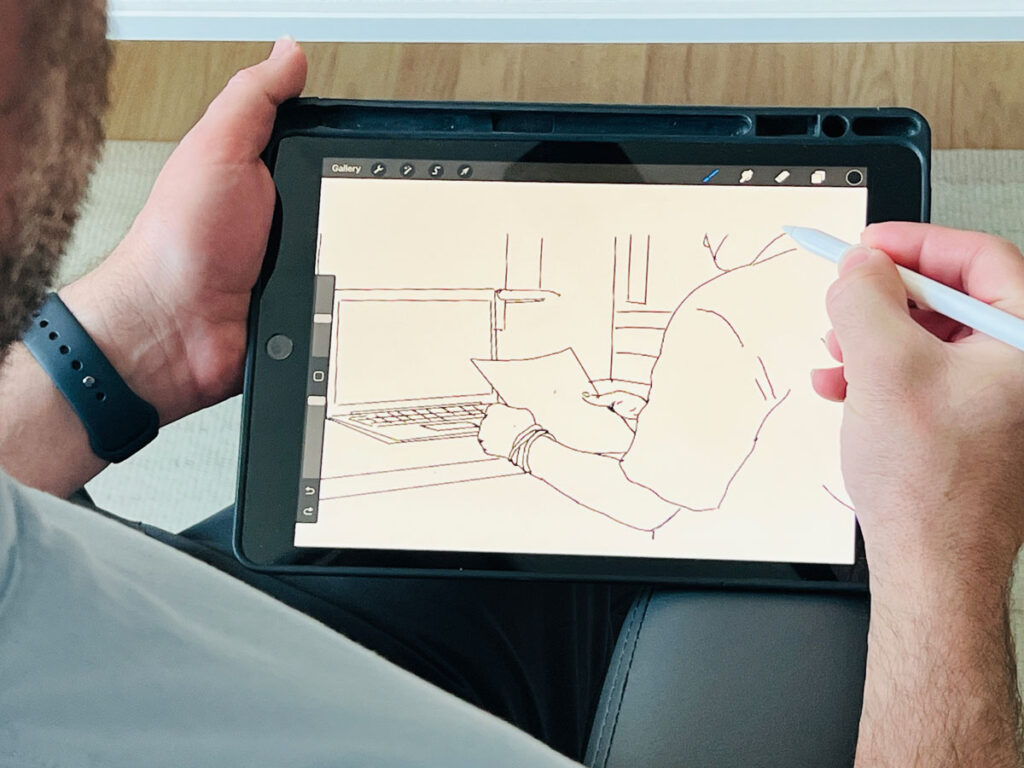
Every illustration on this site started here.
The name
A feedback loop is a self-regulating cycle: output circles back as input, and each pass adjusts what happens next. In UX, it is the continuous exchange between a person and a system. Every action generates a response. Every response shapes the next action.
That is how products learn.
A loupe is a small lens for examining what is easy to miss. Jewelers use them. Watchmakers use them. Anyone whose work depends on seeing the detail that changes the decision.
Feedback Loupe is a conceptual portmanteau: the loop that keeps running and the lens held up to what it surfaces.
Build, ship, watch what happens, look closer, adjust. The process is continuous. The inspection is deliberate.
Stack
WordPress 7.1 · AWS Lightsail · Apache · Debian 12 · Twenty Twenty-Five child theme · Fraunces + Source Sans 3
Workflow
Markdown + YAML → Python publish script → WordPress REST API · Theme in git, deployed via rsync · Staging → production release pipeline · Claude Code throughout
Analytics, gated access, and contact data: Privacy.